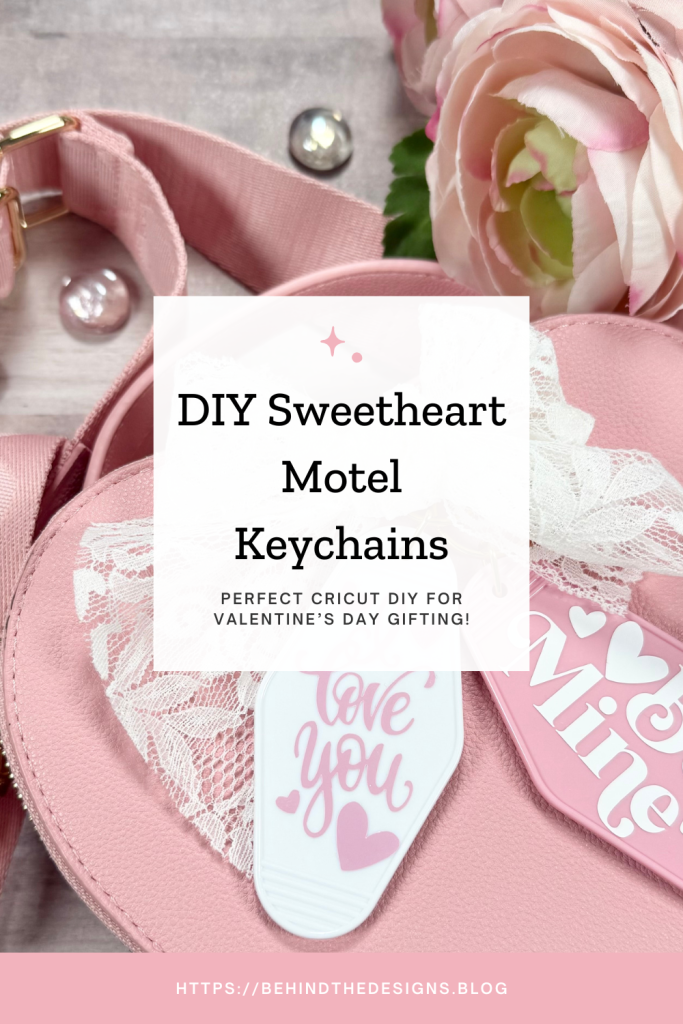
Sometimes the easiest Cricut crafts are the sweetest! These motel keychains are the perfect Cricut beginner craft project. In this post you’ll get the details behind creating these two DIY Sweetheart Valentine Motel Keychains using Cricut!

What I really like about sharing these beginner Cricut projects with you is that I know you can easily DIY them yourself. Assuming you are already familiar with your Cricut machine of choice all these consisted of was a Valentine’s design image, vinyl and the motel keychain blank.
I know I say this all the time but creating these Valentine’s Day motel keychains was so much fun!! The best part is they are a quick and easy Cricut project. The bad part is they are highly addictive! I’ve already picked up more colors for even more projects.
don’t miss out!
Get More Valentine’s Day Craft Ideas, Freebies and Special Offers Straight To Your inbox!
My first experience working with motel keychains was when I created the Custom Faith Motel Keychain for a friend. So my “pro” tip is to remember there is a raised border edge on these motel keychains which makes it difficult to get any images close to that border edge. Just something to keep in mind as you create your projects.
Another plus to creating motel keychains is they are great to gift or sell and depending on the image size they just might be perfect for using up those vinyl scraps. You know we all have those laying around!
Supplies
- Pink Motel Keychains (Hobby Lobby #2261923)
- White Motel Keychains (Hobby Lobby #2261907)
- Cricut Design Space, White Keychain (#M505AOCD1)
- Cricut Permanent Vinyl, White
- Cricut Design Space, Pink Keychain (#M451BA885)
- Cricut Permanent Vinyl, Pink Pearl
- Cricut Explore – Cricut Joy – Cricut Joy Xtra
- Cricut Cutting Mat
- Cricut Brayer
- Cricut Weeder Tool
- Cricut Scraper Tool
- Cricut Transfer Tape
Be sure to check out my Amazon Storefront for some or all of the supplies used in this project and more.
DIY Sweetheart Motel Keychains
When I say these are great beginner Cricut projects, I’m not lying. There are very few steps necessary to complete a motel keychain. Come see for yourself below.
1
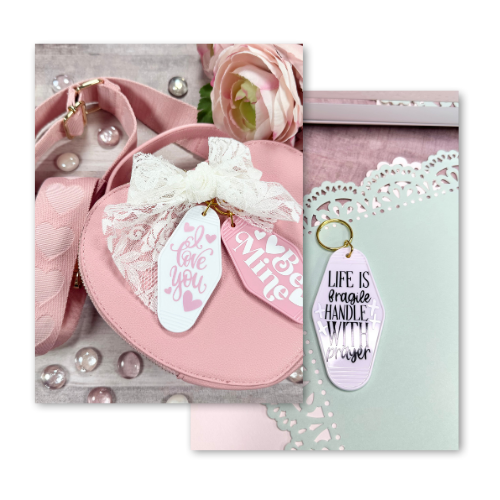
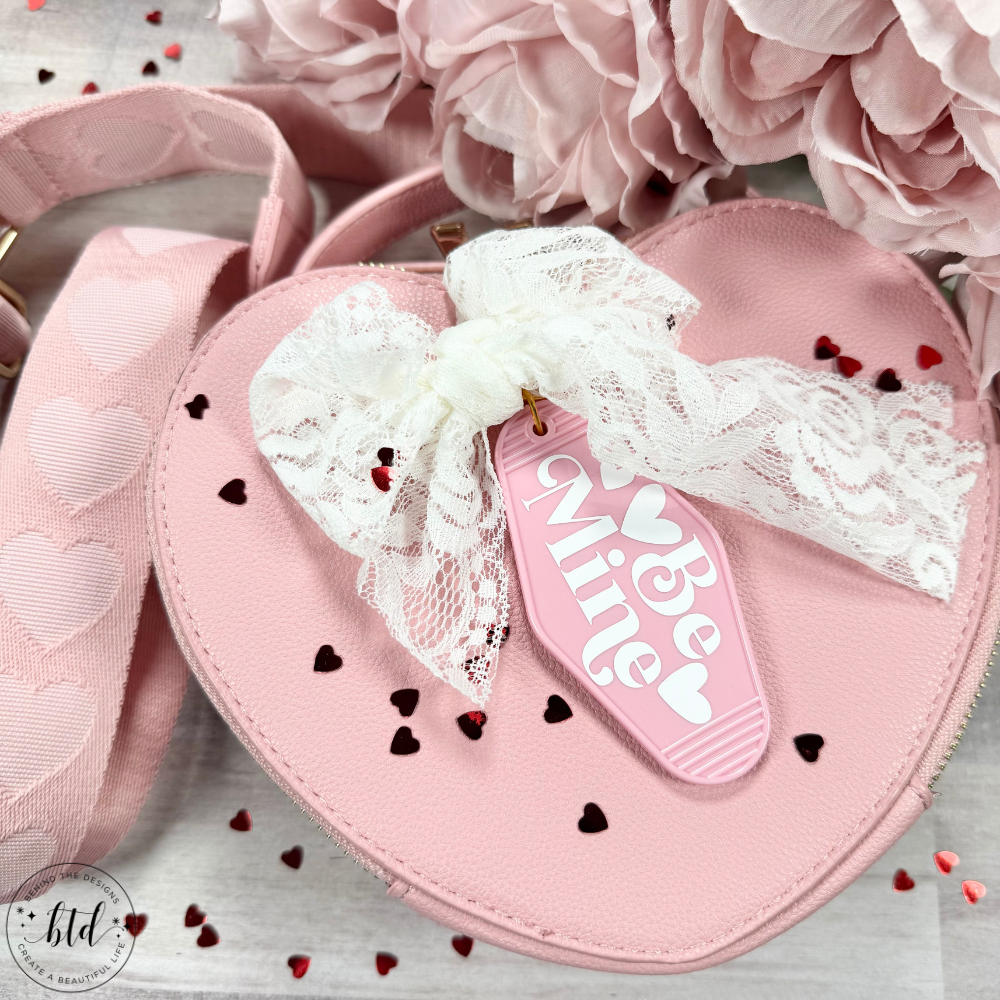
Pink Be Mine Motel Keychain
For these DIY Sweetheart Valentine Motel Keychains using Cricut I decided to choose a pre-made image in Cricut Design Space. I absolutely could have created my own image. But, to keep these short and sweet for your project I went with a Design Space image.
Cricut Design Space Layers Trick
Here’s quick trick (say that 5 times!) to add more elements from the pre-made design to keep your overall project cohesive. Simply copy the pre-made design and turn off the visibility for any element you don’t want to use.
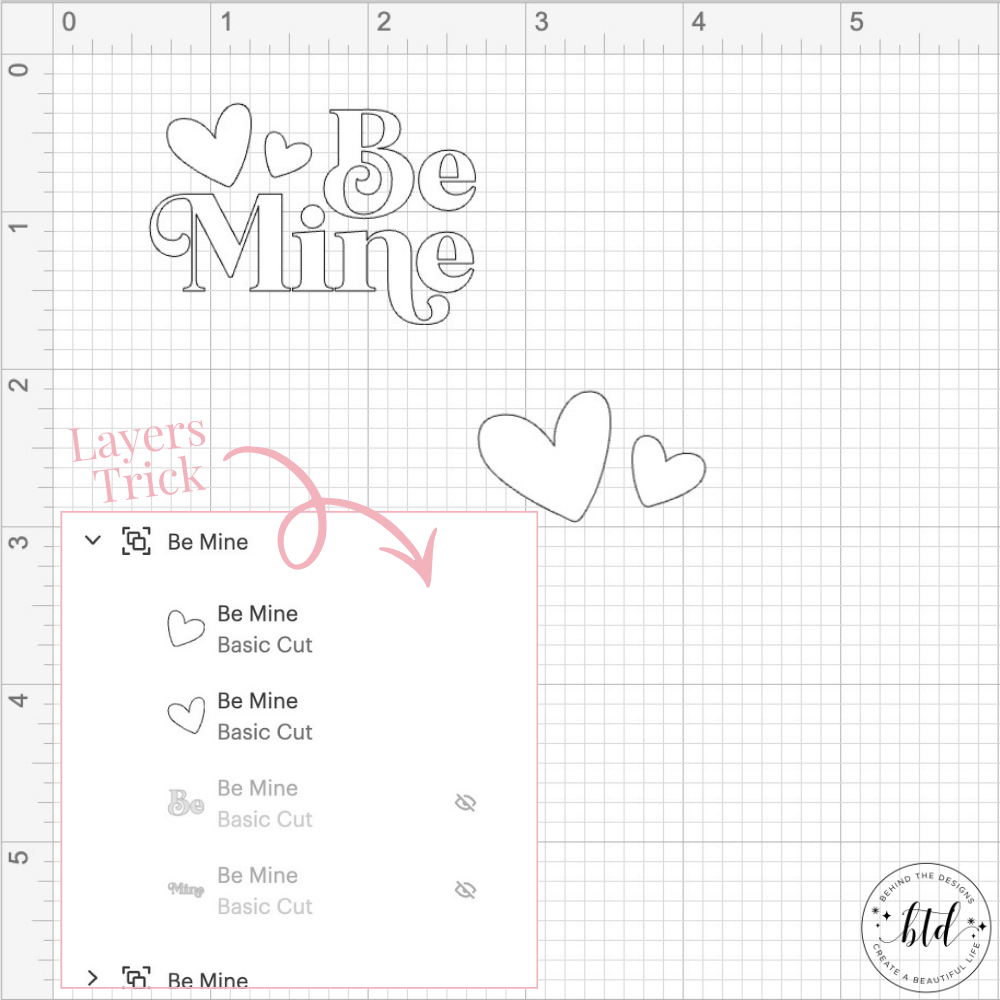
In my design I wanted to add another 1-2 hearts so I simply used the same image and turned off the visibility for the wording. That left me with some extra hearts that would cut with the project and I could add as many as I wanted to the design.
I love how simple and beautiful the white permanent vinyl pops against the medium-toned pink motel keychain!
Project Instructions
If you didn’t want to go through the hassel of measuring this odd shaped keychain you could simply go to ‘images’ in Cricut Design Space and search for ‘motel keychain’. Use a solid image as your base and guide and when your design is complete, you can either delete the shape or hide it so it doesn’t get cut.
Step 1: prep your motel keychains by wiping down them down using alcohol. This helps the vinyl to adhere by removing any oils or residue.
Step 2: put on your Cricut cutting mat a piece of vinyl that is cut to the size of your design. Use a brayer tool to push out any air bubbles. Next, cut your Valentine image out of vinyl and remove it from the mat. Then use a weeder tool to weed out the ‘negative’ space of the project.
Step 3: cut a piece of transfer tape that is slightly larger than your design. Use your scraper tool to burnish the image to the transfer tape (burnish both sides). Remove the backing and now you’re ready to add your design to your keychain.
Step 4: center your design onto the keychain and use your finger to gently rub over the design. Then use a soft-edge scraper and burnish it on to adhere it and remove any bubbles in the vinyl. Gently peel back the transfer tape and you’re done!
Remember the project steps are the same for both of these motel keychain designs. The only thing different between the two is the Valentine design image.
2
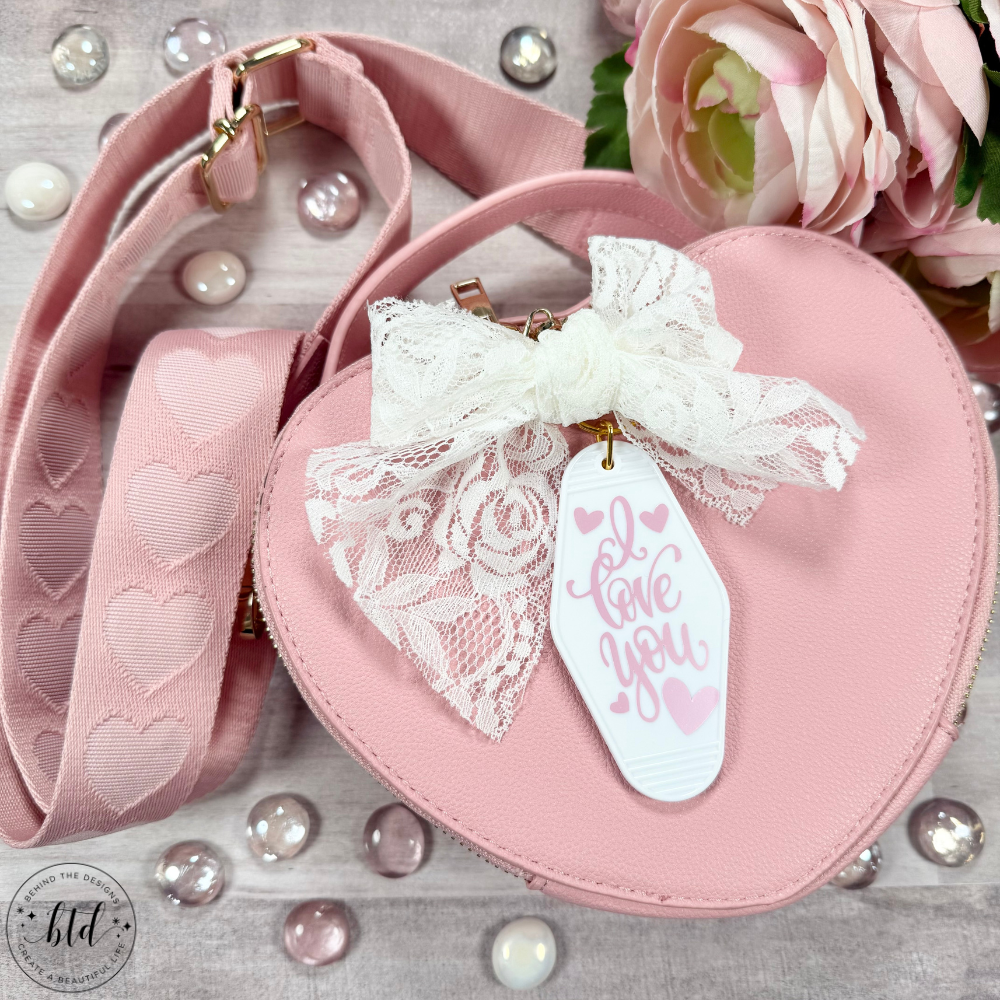
White I Love You Motel Keychain
Clearly I love to create projects that have a contrast in their finished design. In this project I used permanent vinyl in pink pearl for the first time. I thought it might not cut or adhere easily but I’m happy to say I was wrong!
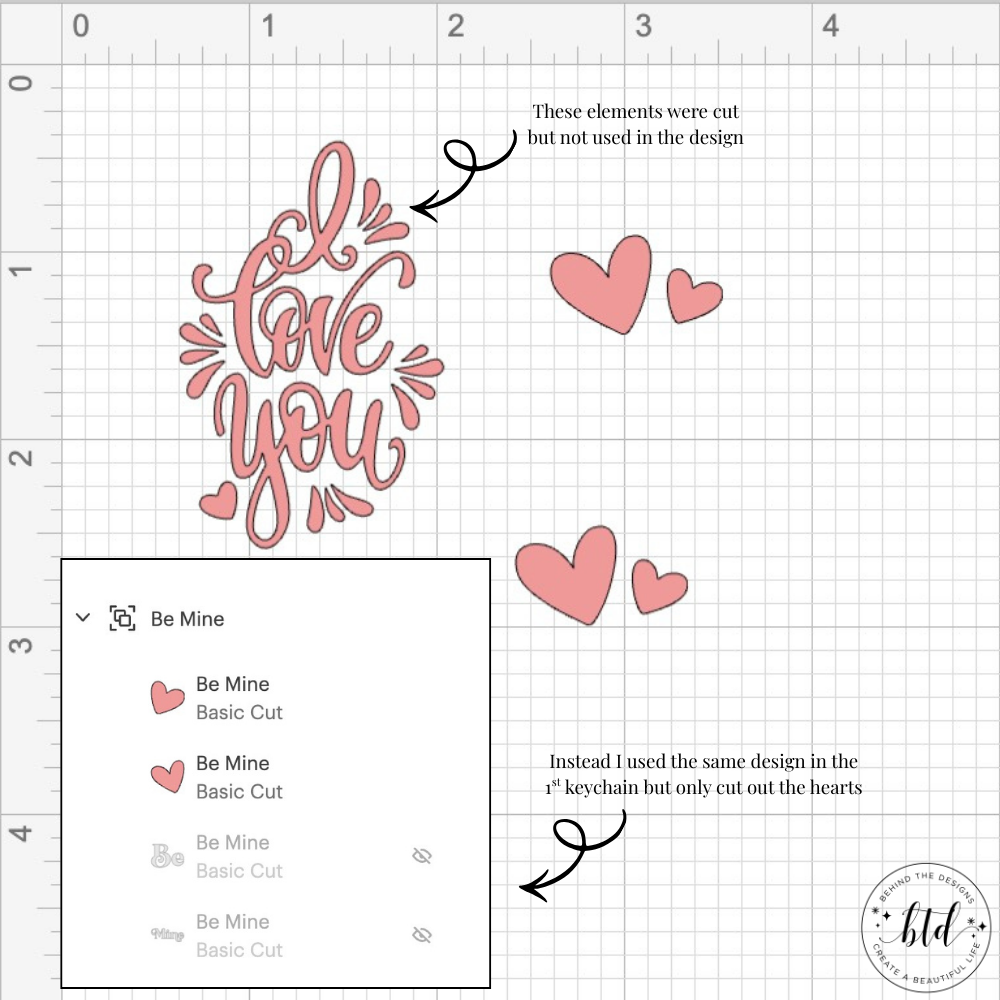
Cricut Design Space Project Tip
Don’t be afraid to combine designs. For my project I didn’t want to use the splash-looking elements so I replaced them with hearts using the same design I used in the motel keychain above.
Again I love how the soft pink vinyl pops against the crisp white motel keychain! Love, love!
In case you’re wondering about that adorable pink heart purse…it belongs to my daughter. She scored big with this Marshalls find some years back. I’m kind of sad I haven’t seen them there anymore. But she’s always gracious to lend it to me when needed.
Another thing to keep in mind with your project, if you are struggling to find a design you like, is to decide who you might be gifting it to. These motel keychains are perfect gifts for teachers, Galentine’s Day, birthdays, Mother’s Day…the list goes on! Just choose your quote/image based on who you are gifting it to.
Which one of these DIY Sweetheart Valentine Motel Keychains was your favorite? What color keychain would you like to see me make next? Drop me a comment below. I’d love to hear your selections!
Were You Inspired To Create A Cricut Motel Keychain?
Mention us @behindthedesigns or tag us using #btdinspired so we can see your creations! You can also leave a comment below!

Want to always be in the know? Be sure to subscribe to the newsletter to receive emails of all the latest blog posts and get the first scoop about any digital printables and freebies.
Join me on Instagram, Pinterest, Facebook and the Creative Planning Expressions Community to see what I’m up to as I Create a Beautiful LifeTM!